
Animal Tattoo Studio
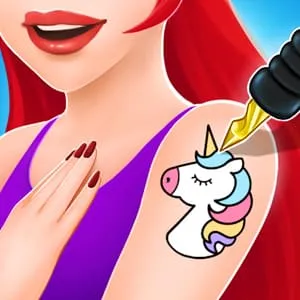
What is Animal Tattoo Studio?
Animal Tattoo Studio is a sophisticated "Ink and Aesthetic" simulation that explores the artistry of temporary body ornamentation. Unlike generic sticker games, this title focuses on the "Precision of Application"—players act as professional artists designing animal-themed tattoos for fashion-forward clients. It emphasizes the "Creative Process," from stencil selection and skin preparation to the intricate layering of vibrant pigments and artistic patterns.
Description
Be a trendy tattoo artist! Design and apply beautiful animal-themed tattoos on ankles using various colors and artistic patterns.
How to Play
Select a client and choose an "Ankle Placement" for the artwork. Begin by cleaning the skin area to ensure a perfect canvas. The gameplay involves a "Three-Stage Art Cycle": first, apply the chosen animal stencil; second, use the tattooing tool to trace the outlines with steady movements; and third, fill the design with a rich palette of colors. Precision is key, as you must avoid going outside the lines to maintain the design's professional look.
How to Get High Scores in Animal Tattoo Studio
High scores are dictated by "Tracing Accuracy" and "Color Gradient Mastery." To achieve a "Master Tattooist" rating, complete the outline phase without a single deviation from the stencil path. The pro secret is "Layered Shading"—using different shades of the same color to create depth within the animal's fur or scales. Finalizing the design with a "Glossy Finish" and matching the tattoo's theme to the client's footwear provides an "Aesthetic Synergy" bonus.
Frequently Asked Questions
Q: Can I create my own animal designs?
You choose from a variety of curated animal stencils (lions, butterflies, etc.), but you have total freedom in the color and pattern application phases.
Q: What happens if I make a mistake?
You can use the "Laser Removal" tool to erase small errors or restart the coloring phase to ensure a flawless final product.
Recommended for You
Christmas Salon
Nail Art: Design Salon
Baby Tailor: Clothes Maker
E-Girl vs Soft-Girl
Pet Tailor Studio
Hippo Manicure Salon
Superstar Makeup Party
Paper Doll
Cat Girl Halloween Prep
Baby Fashion Dress Up
Long Hair Princess Salon
BFFs Christmas Eve
Fashion Nail Art DIY Blog

Short Hair Fashion Salon
Royal Girls Fashion Salon
High School Summer Crush
Vivi Styling
Hair Salon Fun
Glitter Dress Coloring
Korean Supermodel
Colorful Braid Hairstyle Making
Selfie Make Up
Fashion Show Stage
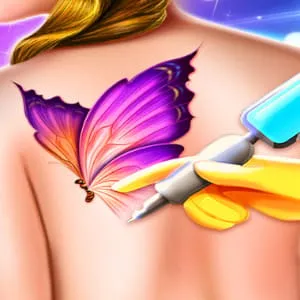
Fashion Tattoo Studio 4
Xmas Nail Design Blog
Baby Pop Stars
Princess Maker: Dress Up
Fashion Friends Reunion
Dream Doll Boutique
Fashion Pony Studio
Flower Girl Wedding Day
Money Honey: Choice Run
Royal Halloween Party
Super Stylist
Color Skirt Tryout

Shoe Designer Studio
Royal Nail Art Studio
Glamour New Year Dress Up
Fashion Flowers DIY
Lovely Doll Dress Up

Fashion Girl Fitness
Glitter Dress Coloring
Easter Nail Designer
Fidget Spinner Fashion
Winter Fashion Dress Up
Fashion Doll Closet
Angela: All Season Fashion
Princess Makeup
Fashion Doll House Cleaning
Perfect Lip Art Salon