Start
Press Play Now and wait for the game to load in the browser player.
Press Play Now and wait for the game to load in the browser player.
Use mouse, keyboard, or touch controls depending on the game and your device.
Follow the in-game objective, improve your score, and replay to master each level.
Original game information helps players decide whether this game fits their session.
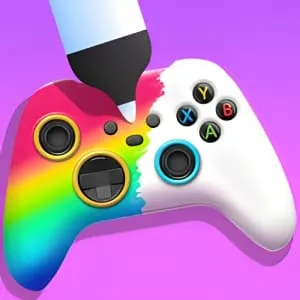
DIY Joystick allows players to assemble and personalize a joystick using different parts, colors, and decorations. The fun comes from creativity rather than competition.
Clear instructions make the page more useful and reduce quick bounces.
Choose joystick parts, drag them into place, and customize colors and decorations before finalizing your design.
Strategy content gives players a reason to read, replay, and explore similar games.
Use harmonious colors and balanced layouts. Avoid clashing elements to achieve higher aesthetic scores.
Quick facts for players who scan before they start a game.
Start directly in your browser without installation.
Play on H5Joy without paying for access.
Designed for browser play across common devices.
Enjoy a focused session at your own pace.
Part of the multiplayer games collection.
Find similar games after you finish a round.
Useful facts for players and clearer context for search engines.
Questions real players may ask before starting or replaying this game.
Yes, it emphasizes design and customization.
Yes, touch controls are supported.
Yes. Diy Joystick can be played for free in your browser on H5Joy.
No download is required. Open the game page and start playing directly in your browser.
Many H5Joy games are mobile friendly. If this game supports touch controls, it can be played on phones and tablets as well as desktop browsers.
Try the related multiplayer games listed on this page for similar themes, controls, or play styles.
Keep players exploring with related games from the same category and similar tags.