Start
Press Play Now and wait for the game to load in the browser player.

Press Play Now and wait for the game to load in the browser player.
Use mouse, keyboard, or touch controls depending on the game and your device.
Follow the in-game objective, improve your score, and replay to master each level.
Original game information helps players decide whether this game fits their session.
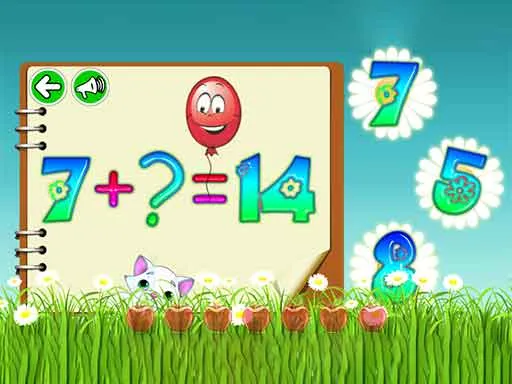
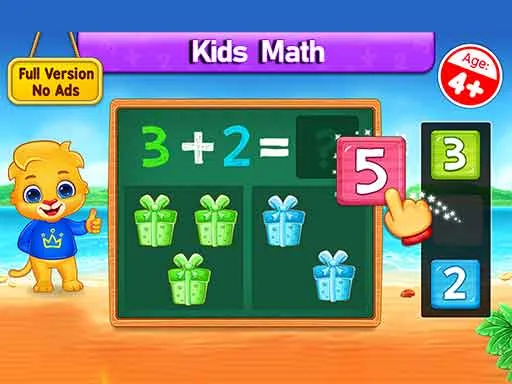
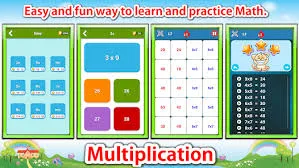
Kids Math is an interactive arithmetic-synthesis and educational simulator designed to build mental math velocity. The core engine focuses on "Progressive Computational Scaling," where the difficulty of addition, subtraction, and multiplication problems increases based on the player’s accuracy and response time. It provides a gamified environment for younger audiences to master foundational math skills through immediate visual rewards and skill-based feedback loops.
Clear instructions make the page more useful and reduce quick bounces.
The game presents a series of math equations with multiple-choice or input-based answers. Your goal is to solve as many problems as possible correctly to advance to the next "Math Zone." Interaction is simple: tap the correct answer or use the on-screen keypad. Each correct answer provides a "Visual Sparkle" or collectible item. If you provide a wrong answer, the game offers a "Logic Correction" screen to explain the solution before letting you try a similar problem.
Strategy content gives players a reason to read, replay, and explore similar games.
Achieving a "Math Genius" rank depends on "Instinctive Calculation." To reach high scores, focus on "Pattern Memorization" (like doubles or tens-complements) to bypass the need for counting fingers. A pro tip is to maintain a "Speed Streak"—answering questions within 2 seconds of them appearing triggers a 2x multiplier. Consistently reaching the "Bonus Level" allows you to earn rare stickers that permanently boost your score ceiling.
Quick facts for players who scan before they start a game.
Start directly in your browser without installation.
Play on H5Joy without paying for access.
Designed for browser play across common devices.
Enjoy a focused session at your own pace.
Part of the puzzle games collection.
Find similar games after you finish a round.
Useful facts for players and clearer context for search engines.
Questions real players may ask before starting or replaying this game.
Yes, while it starts with basic addition, successful players will eventually unlock the "Multiplication Mountain" and "Division Deep" levels as their skill rank increases.
Some versions feature a "Time Trial" leaderboard where kids can compare their solving speed against players worldwide in specific categories like "Sums under 100."
Yes. Kids Math: Fun Learning can be played for free in your browser on H5Joy.
No download is required. Open the game page and start playing directly in your browser.
Many H5Joy games are mobile friendly. If this game supports touch controls, it can be played on phones and tablets as well as desktop browsers.
Try the related puzzle games listed on this page for similar themes, controls, or play styles.
Keep players exploring with related games from the same category and similar tags.