Start
Press Play Now and wait for the game to load in the browser player.
Press Play Now and wait for the game to load in the browser player.
Use mouse, keyboard, or touch controls depending on the game and your device.
Follow the in-game objective, improve your score, and replay to master each level.
Original game information helps players decide whether this game fits their session.
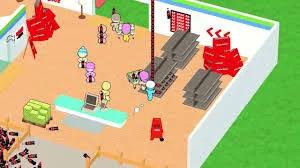
My Mini Mart is a "Logistical-Flow" Idle Arcade game that simulates supply chain management in real-time. The technical core is "Stack-and-Drop Inventory Mechanics." The player character acts as the central transport hub, physically carrying goods from production nodes (Tomato Patch) to sales nodes (Shelves). The challenge comes from balancing "Throughput Velocity" (how fast you move) with "Capacity Constraints" (how much you can carry) against an ever-growing, impatient customer queue.
Clear instructions make the page more useful and reduce quick bounces.
Control a stickman manager in a 3D mart. Your objective is to expand the business. Interaction is "Joystick-Movement." Run to the garden to harvest crops (auto-stack on back), run to shelves to stock them (auto-unload), and run to the register to collect cash. Use cash to unlock new stations (Egg Farm, Dairy) or hire "AI Assistants." You must keep all stations stocked; if a shelf is empty, customers will stall, blocking the flow of new sales.
Strategy content gives players a reason to read, replay, and explore similar games.
Maximizing profit depends on "Route-Loop Optimization." Avoid running back and forth in straight lines. Create a "Circular Workflow": Harvest -> Stock Shelf -> Collect Cash -> Upgrade -> Repeat. A pro strategy is "Staff Specialization." Don't upgrade everything evenly. Pour money into "Cashier Speed" first. A slow cashier creates a bottleneck that stops all income, no matter how full your shelves are. Once cash flow is instant, focus on "Assistant Capacity" to automate the heavy lifting.
Quick facts for players who scan before they start a game.
Start directly in your browser without installation.
Play on H5Joy without paying for access.
Designed for browser play across common devices.
Enjoy a focused session at your own pace.
Part of the simulation games collection.
Find similar games after you finish a round.
Useful facts for players and clearer context for search engines.
Questions real players may ask before starting or replaying this game.
Yes. In later upgrades, you can build "Conveyor Belts" that automatically transport tomatoes to the cows, removing the need for you to manually carry feed. This is the key to late-game automation.
You took too long. Each customer has a hidden "Patience Timer." If shelves are empty for too long, they leave without paying. Ensure your "Production Rate" matches your "Customer Arrival Rate."
Yes. My Mini Mart can be played for free in your browser on H5Joy.
No download is required. Open the game page and start playing directly in your browser.
Many H5Joy games are mobile friendly. If this game supports touch controls, it can be played on phones and tablets as well as desktop browsers.
Try the related simulation games listed on this page for similar themes, controls, or play styles.
Keep players exploring with related games from the same category and similar tags.