Start
Press Play Now and wait for the game to load in the browser player.
Press Play Now and wait for the game to load in the browser player.
Use mouse, keyboard, or touch controls depending on the game and your device.
Follow the in-game objective, improve your score, and replay to master each level.
Original game information helps players decide whether this game fits their session.
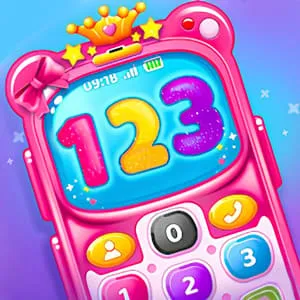
Princess Phone Story is a royal-themed "Interactive Toy" simulation that bridges the gap between role-playing and educational gaming. Focusing on "Social Imagination," it allows players to simulate being part of a royal court through a personalized smartphone interface. The game emphasizes "Audio Recognition" and "Number Learning" through a series of structured calls and messaging mini-games. It provides a polished, high-aesthetic digital toy for players who dream of a princess's lifestyle.
Clear instructions make the page more useful and reduce quick bounces.
Interact with the virtual smartphone by tapping the various apps on the home screen. Use the "Dialer" to call a princess; she will ask you questions that you can answer by tapping response icons. Use the "Message" app to send stickers and emojis to your royal friends. The phone also includes a "Princess Wardrobe" app where you can style an avatar that appears in your phone's profile picture. Each interaction earns you "Royal Hearts," which unlock new phone cases and ringtones.
Strategy content gives players a reason to read, replay, and explore similar games.
To "complete" the story, focus on "Social Engagement." Make sure to call every princess in your contact list at least once to hear their unique stories. In the "Sticker Mini-Game," matching the stickers to the princess’s mood (Happy, Excited, or Magical) will yield the maximum number of Royal Hearts. Pay attention to the "Daily Reward" notification on the phone's top bar; tapping it provides rare gems used to buy premium phone decorations.
Quick facts for players who scan before they start a game.
Start directly in your browser without installation.
Play on H5Joy without paying for access.
Designed for browser play across common devices.
Enjoy a focused session at your own pace.
Part of the simulation games collection.
Find similar games after you finish a round.
Useful facts for players and clearer context for search engines.
Questions real players may ask before starting or replaying this game.
The game features a "Voice Mimic" mode in some versions where the princess repeats what you say in a magical voice, but no actual audio is saved or shared.
Yes, the "Magic Match" app is a built-in puzzle game that you can play anytime Taylor or the Princess is "busy."
Yes. Princess Phone Story can be played for free in your browser on H5Joy.
No download is required. Open the game page and start playing directly in your browser.
Many H5Joy games are mobile friendly. If this game supports touch controls, it can be played on phones and tablets as well as desktop browsers.
Try the related simulation games listed on this page for similar themes, controls, or play styles.
Keep players exploring with related games from the same category and similar tags.