
Cat Girl Christmas Decor
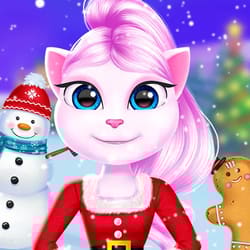
What is Cat Girl Christmas Decor?
Cat Girl Christmas Decor is a Thematic-Spatial and Interior-Design simulation. The technical core involves "Atmospheric Asset Mapping," where players design a cozy, holiday-themed environment for a character. It is perfect for fans of "Cozy Games" who enjoy the "Zen" of festive decoration, focusing on the harmony between furniture placement, lighting, and ornaments to create a high-fidelity holiday sanctuary.
Description
Design a festive holiday environment by selecting furniture and ornaments for a themed space. Focus on interior design principles to create a cozy Christmas atmosphere.
How to Play
You are given a themed room and a vast inventory of Christmas assets. Your objective is to create a "Festive Retreat." Interaction involves dragging and dropping furniture, placing "Cat-Themed" ornaments on the tree, and choosing the wall/floor textures. You must account for "Warmth-Logic"—arranging seating near the fireplace and layering lights to create a cozy atmosphere. Once the room is complete, you can "Light the Tree" to see the final visual effect.
How to Get High Scores in Cat Girl Christmas Decor
Achieving "Interior Designer" status depends on "Layered Lighting." Do not just place one lamp; "Stack Light Sources" (string lights + fireplace + candles) to create a soft, high-contrast glow that boosts the "Cozy Rating." A pro tip is to use "Thematic Clustering"—grouping small cat-themed decorations on a single table creates a "Focal Point" that the game's aesthetic engine rewards with extra "Style Points" and rare holiday furniture unlocks.
Frequently Asked Questions
Q: Can I move the Cat Girl?
Yes. After decorating, you can place the character in different "Interaction Nodes" (like on the sofa or by the tree) to trigger unique festive animations and poses for the final snapshot.
Q: How do I unlock the "Snowing Window" effect?
The window view can be customized once you've placed at least 15 festive items in the room, allowing you to toggle between "Daytime Snow" and "Starry Christmas Night."
Recommended for You
Art Book
Baby Taylor Home Cleaning

Health Check Simulation
Housework Simulation
Princess Color By Number
Glow Halloween Nails

Mermaid Kingdom Rescue
Avatar Love Story
Princess Castle
Baby Educational Phone
Beauty Salon
Popular Hair Salon
Kinghts Princess Arcade Game
Nails Art: Salon
Relaxing Spa Day
Kitty Kate: House Cleanup
Princess Salon
Monster Spa & Makeover
ASMR Mukbang Live
Glitter Lips Artist
Makeup Stack
Sailor Girl Battle Outfit
Makeup Kit Color Mixing
Crazy Hand Doctor
Princess Makeup Studio
Ice Princess Beauty Salon
DIY Locker: School Decor
Baby Panda Photo Studio
Pet Makeup Master
Phone Case DIY

Sweet Baby Girl Summer Fun
Princess Makeup
Baby Rescue Team

Sweet Princess Wedding
Hotel Decor
Hippo Wedding Party
Baby Panda: Chinese Holidays
Money Honey: Choice Run
Little Panda Princess Dress Up
LOL Dolls Nail Salon
Confetti Cake Maker
Pizza Chef
Baby Taylor Sushi Cooking
Long Hair Princess Salon
Hippo Cooking School
Fancy Afternoon Tea
Christmas Salon
Color Skirt Tryout
Makeup Artist: Fashion Salon
Fashion Show Stage