
DIY Pop Stickers
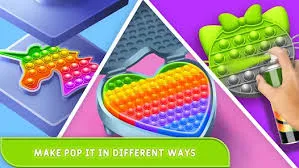
What is DIY Pop Stickers?
DIY Pop Stickers is a vector-based Creative-Suite simulation that digitizes the scrapbooking process. The technical core focuses on "Layer-Masking" and "Contour-Tracing," allowing players to construct complex 2D assets from primitive shapes and textures. It is a "Canvas-Construction" game designed for players who enjoy graphic design logic, emphasizing the importance of hierarchy, stroke width, and color balance in creating readable, aesthetic digital stickers.
Description
Design and assemble personalized digital stickers using templates, colors, and various decorative overlays.
How to Play
You start with a blank canvas and a library of base assets. Your goal is to engineer a unique sticker. Interaction involves "Layer Manipulation"—stacking background shapes, main subjects, and decorative overlays (like sparkles or text). You can adjust the "Opacity" and "Rotation" of each layer. The final step involves choosing a "Die-Cut Border" style (white outline, holographic edge) to finalize the sticker's physical appearance before adding it to your virtual book.
How to Get High Scores in DIY Pop Stickers
Creating "Masterpiece Stickers" depends on "Visual Hierarchy." Ensure your central subject is the largest element and sits on the top-most layer (excluding overlays). A pro strategy is to use "Contrast Stroking"—apply a thick white or neon border around the main subject to separate it from the background pattern. This mimics real-world sticker design principles and ensures your creation looks distinct even when scaled down in the sticker book view.
Frequently Asked Questions
Q: Can I resize elements after placing them?
Yes. Tapping any layer activates the "Transform Gizmo," allowing you to scale, rotate, or flip the asset without losing resolution quality.
Q: Is there a limit to how many layers I can use?
While there is no hard cap, using more than 10 layers can make the sticker look "Muddy." It is recommended to merge or simplify layers to maintain a clean, professional "Pop Art" aesthetic.
Recommended for You
Super House Cleaner
Happy Dessert Simulator
Little Cat Doctor: Pet Vet
Idle Island: Build
House Renovation Master
My Perfect Hotel
Fire Fighter Rescue
Phone Case DIY
Zombie Market Simulator
Burger Restaurant Express Simulator
Fishing Champion Pro

My Perfect Mine
Funny Fever Hospital
Bad Time Simulator Battle Quest
Duck Hunt Battle Quest
Island Survival: Craft
Beggar Clicker
Kids Movie Night Party
Modern Home Interiors Design
ASMR Syringe
Garden Tycoon

Cow Bay: Island Life
Lucky Vegas Roulette

Pizza Ready Tycoon
Idle Ants 2
Chat Master 2: Text Choices
Zoo Animal Resort
Hotel Manager Tycoon
Game of Farmers
Sprunki Swapped Simulator
Monster DIY Makeover
Dreamy Room Decor
Satisfying Slime Simulator
Lost on Island
Zoo Tycoon
Flower Decor: Garden Art
What My Brand Simulator
Wild Hunt Transport Truck
Hairexpert 2 Simulator

Money Stack Run 3D
Ear Doctor Specialist

My Puppy Play Day Simulator
Factory Inc: Idle Tycoon
Burger Stack Runner
Zombie Buster Battle Adventure

Yummy Plate Simulator
Bitcoin Millionaire Simulator
My Mini Mart
Castle World Builder
Crazy Pillow Fight Party