
Pro Word Search
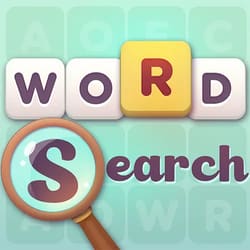
What is Pro Word Search?
Pro Word Search is a high-speed visual scanning and pattern-recognition game that challenges the player's ability to identify linguistic strings within a dense letter matrix. The technical core involves "Multi-Directional String Search," where words are hidden horizontally, vertically, and diagonally. It is perfect for casual gamers and brain-training fans who want to improve their peripheral vision and rapid-fire focus.
Description
Locate specific words hidden within a dense grid of random letters arranged horizontally, vertically, or diagonally. The gameplay focuses on rapid visual scanning and pattern recognition.
How to Play
You are given a grid of random letters and a list of words to find. Your goal is to locate every word on the list before the timer runs out. To select a word, tap the first letter and drag to the last. Interaction involves "Grid Navigation"—scanning across multiple planes to identify patterns. Words can be arranged forward, backward, or diagonally. As you progress, the grids grow in size and the word list becomes more obscure, increasing the "Visual Entropy" of the challenge.
How to Get High Scores in Pro Word Search
Dominating the search depends on "Uncommon Character Scanning." Instead of looking for a whole word, scan specifically for the least common letters (like Z, Q, X, or J) within the word list. Once you find the rare letter in the grid, check the 8 surrounding cells for the second letter of your target. A pro strategy is to "Edge-Scan" first, as words tucked along the grid boundaries are often the hardest to spot and clearing them early opens up the visual center.
Frequently Asked Questions
Q: Can words overlap in the grid?
Yes. Many pro-level puzzles feature overlapping words that share one or more letters, requiring you to identify both strings to clear the grid.
Q: Is there a hint if I can't find the last word?
Yes. Using the "Magnifying Glass" icon will highlight the first letter of a random word on your list, but it will slightly reduce your final "Focus Score" for that level.
Recommended for You
Letter Link Lab
Word Guess
Word Swipe Master
Hangman

Waffle Word Game Logic Challenge
Botanical Word Link
Visual Crossword
Hidden Words: Search
Wordle Brain Puzzle

Letter Rescue Sort
Skyward Word Search
Whooo: Guess the Character
OMG Word Swipe
Brain Out: IQ Test
Save My Hero: Draw Guard

Love Balls: Draw Lines
Advanced Math Fun
One Line Draw
Save The Pets
Make Ten: Math Logic
Save The Doge
Halloween Memory

Draw Climber Rush
One Line Draw
One Touch Drawing Brain Puzzle
Brain On Line
Junior Math Quest
Pro Math Challenge

Kids Math: Fun Learning
Math Pup: Truck Counting
Draw Joust Duel
Shoot & Paint Art
Color Maze Puzzle
Park Master
2048 Puzzle Master
Digit Word Smith
Save The Dog: Bee Hive

Grima Monster: DOP
Draw Defence: Ink War
Rope Star
Draw The Hill
PC Artistic Lab
Draw Rider
Idle Trampoline Master
One Line Path Sort

The Girl Next Room
Line on Hole: Path
Zero Numbers Logic

ASMR Drawing

Crazy Brain Arcade Game